Amazon A+ Content is the enhanced, brand-controlled section of a product detail page, available to Brand Registry sellers. It replaces the plain-text description with designed modules like banners, comparison charts and spec grids. It does not directly improve search ranking, but Amazon estimates it lifts conversion by up to 8% (Basic) or 20% (Premium).
Scroll past the bullets on any serious Amazon listing and you hit the part of the page the brand fully controls: A+ Content. It is the closest thing Amazon gives you to a sales page, and most sellers treat it as wallpaper.
We design A+ Content for a living at CVR Studios, and we sell on Amazon ourselves, so we judge it the way an operator does: by what it does to conversion. This is the working version of the topic — what A+ is, Basic versus Premium, how we decide which modules to build, and the difference between A+ that sells and A+ that fills space.
One thing to clear up early, because most guides get it wrong: A+ Content is not a ranking tool. What it actually does is more useful than that, and we will get to it.
What is Amazon A+ Content?
A+ Content is the enhanced section of the product detail page, available to sellers enrolled in Amazon Brand Registry (which requires a registered trademark). It replaces the plain-text product description with designed modules: full-width banners, image-and-text blocks, spec grids and comparison charts. Publishing it is free at the Basic tier.
Its job on the page is specific. The main image and title win the click. The gallery and bullets carry the headline facts. A+ handles everything a hesitant buyer still needs before committing — how the product works, how it compares to the one in the next tab, and why your brand is the safe choice. It is objection-handling, laid out visually, at the exact point in the page where doubt creeps in.
That scope matters. A+ is one part of the listing, not the whole job — titles, bullets and backend keywords are covered in our product listing optimisation guide. This page is about what happens below the fold.
Basic vs Premium A+, and Brand Story
There are three brand-content surfaces on a listing, and sellers mix them up constantly.
| Surface | Who gets it | What you get |
|---|---|---|
| Basic A+ | Every Brand Registry seller | Up to five static modules at 970px wide: banners, image-and-text blocks, standard comparison charts. Free to publish. |
| Premium A+ | Brand Registered sellers who meet Amazon's criteria — currently a Brand Story live across your catalogue plus a recent history of approved A+ submissions | Up to seven larger modules at 1464px wide, with video, interactive hotspots, clickable Q&A and richer comparison charts. |
| Brand Story | Every Brand Registry seller | A scrolling carousel of brand-level cards that sits in its own band on the listing, above the A+ section. Free, and a prerequisite for Premium. |
If you qualify for Premium, take it. The larger canvas and video support make a visible difference on mobile, and the interactive modules let you answer more objections in less scroll. The unlock path is straightforward: publish a Brand Story across your ASINs, get a handful of Basic A+ submissions approved, and the Premium templates appear in Seller Central.
Brand Story is not a substitute for A+, and it should not repeat it. A+ sells the product; Brand Story sells the brand — who you are, the range, the reason to buy from you twice.
Does A+ Content help you rank? The honest answer
Not directly. The text baked into A+ images is not indexed for search the way your title, bullets and backend keywords are, and adding A+ to a listing does not move your organic position by itself. Anyone selling A+ as an SEO play is selling decoration.
What A+ demonstrably does is convert and retain. Amazon's own published estimates put the average sales lift at up to 8% for Basic A+ and up to 20% for Premium, and the mechanism is obvious when you watch buyers use a page: people who understand exactly what they are buying click "Add to Basket" more often and send fewer parcels back. Higher conversion, fewer returns.
Rank does move — but indirectly. Conversion feeds sales velocity, and velocity is what Amazon's algorithm rewards. So a strong A+ section can absolutely end up improving your position; it does it by selling better, not by gaming the index. That distinction should change how you brief the design: every module exists to close a sale, not to carry keywords.
How we choose modules: rank them against the reviews
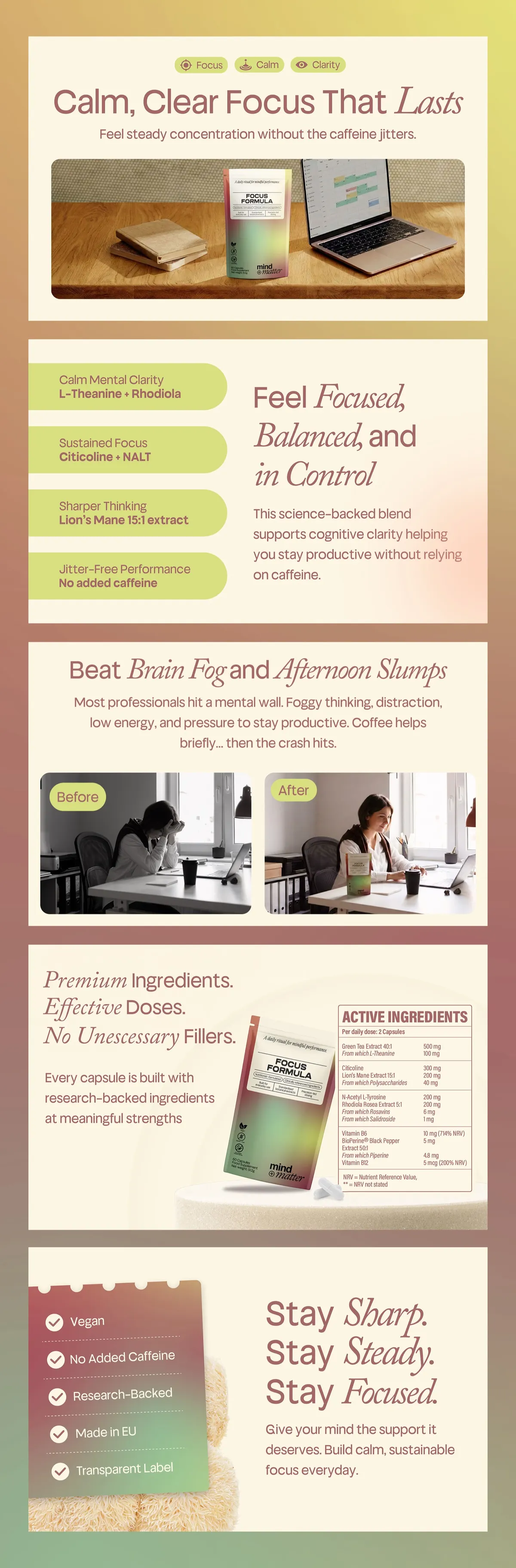
Most A+ gets built from a template: banner, lifestyle shot, three-icon strip, comparison chart, done. It looks finished and answers nothing. Our method starts somewhere else entirely — in the reviews.
- Mine the reviews. We pull the customer reviews for your product and the top competitors in the niche. The 1–3 star reviews give us the objections, in the buyer's own words. The 5-star reviews give us the desire points — the outcomes people actually praise, which are rarely the features the brand leads with.
- Rank what we find. Objections and desire points get ranked by how often they appear and how often they kill a sale. "Does it actually mix without clumping" beats "tell me about your founder" every time.
- Map each one to a module. Every objection has a module type that answers it best. "How is this different from the cheaper one?" is a comparison chart. "Will it work for me?" is a use-case or lifestyle module. "Can I trust this brand?" is a credentials banner. The review data decides the stack, not the template library.
- Order by the buying decision. The biggest objection gets answered first, while you still have the buyer's attention. The stack reads top to bottom like a conversation with a good salesperson.
The output is a module stack where every section has earned its place by answering something a real buyer actually raised. It is slower than dropping assets into a template, and it is the entire difference.
Design principles that convert
Mobile-first, always
The majority of Amazon traffic is on a phone, where your carefully composed desktop modules stack into a narrow column and your elegant small type becomes unreadable. We design at phone width first and let desktop inherit, not the other way round. If a claim is not legible at thumb-scroll speed on a 6-inch screen, it does not exist.
Scanner-first, not reader-first
Nobody reads A+ Content. They scan it in two to four seconds on the way to the reviews. So each module carries one idea, the headline does the persuading, and body copy exists only to support a buyer who has already slowed down. If you have to choose between a clever line and a clear one, clear wins.
Machine-legible text
This one is newer. Amazon's AI shopping assistants — Rufus on the listing, Alexa in the home — read A+ imagery via OCR and use what they find to answer buyer questions. Text baked into your modules is no longer invisible to machines; it is source material. That means clean, high-contrast type with real claims in it, not stylised fragments. We cover how the AI assistants read listings in our guide to Rufus and Alexa shopping.
What good A+ looks like, and what lazy A+ looks like
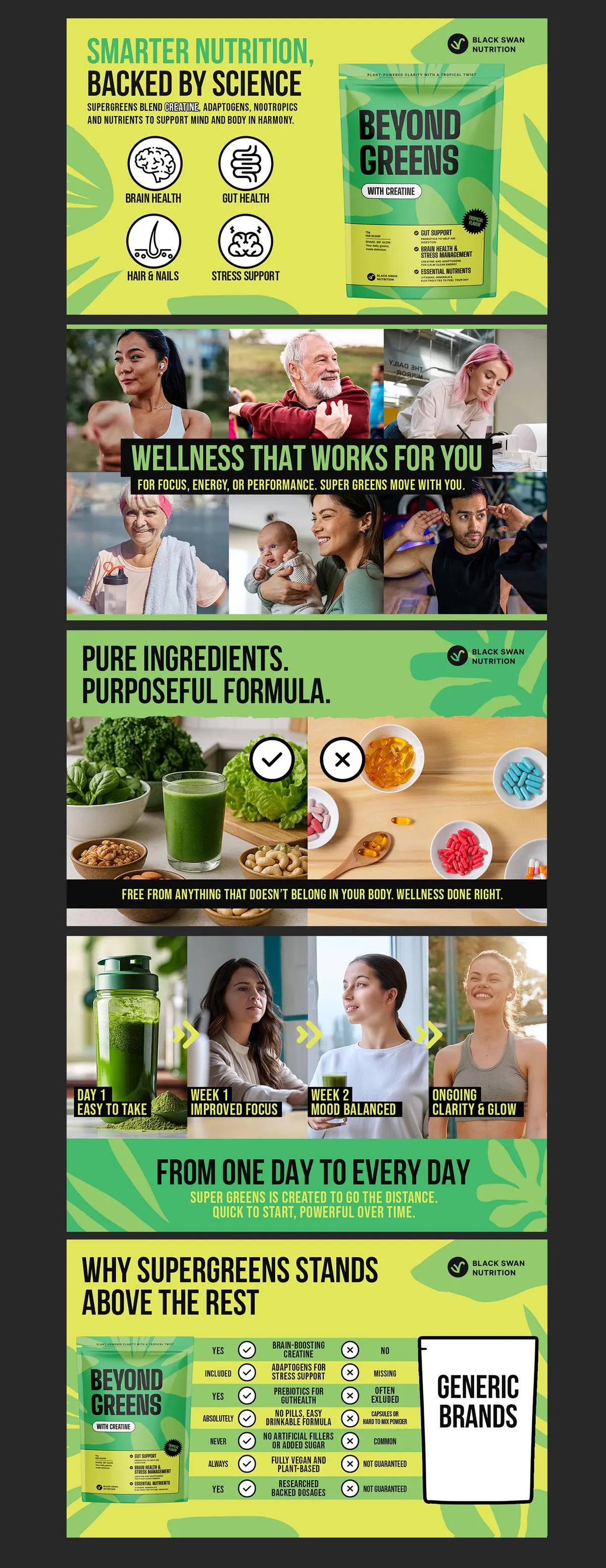
Lazy A+ is easy to spot once you know the tells: a logo banner that repeats the brand name the buyer can already see, lifestyle photos with no claims on them, an icon strip restating the bullets, and a comparison chart comparing the product against nothing in particular. It decorates the page and answers no question a buyer was actually asking.
Good A+ behaves like a closer. It anticipates the moment of doubt — "is this the right size", "will it clash with my kitchen", "why is this one £8 more" — and resolves it in the order doubt actually arrives. Every module either removes a reason not to buy or adds a reason to buy now. Nothing else makes the cut.
What this looks like in the numbers
A+ design is a flagship deliverable for us, and it is where the conversion gains tend to show first. When we rebuilt STYRKR's listings — Premium A+ included — conversion rose 55% in six weeks. Awesome Supplements saw revenue up 50% in 90 days after their rebuild. Across the 125+ Amazon brands we have launched and scaled, the pattern holds: the listing that answers the buyer's real objections out-converts the one that decorates.
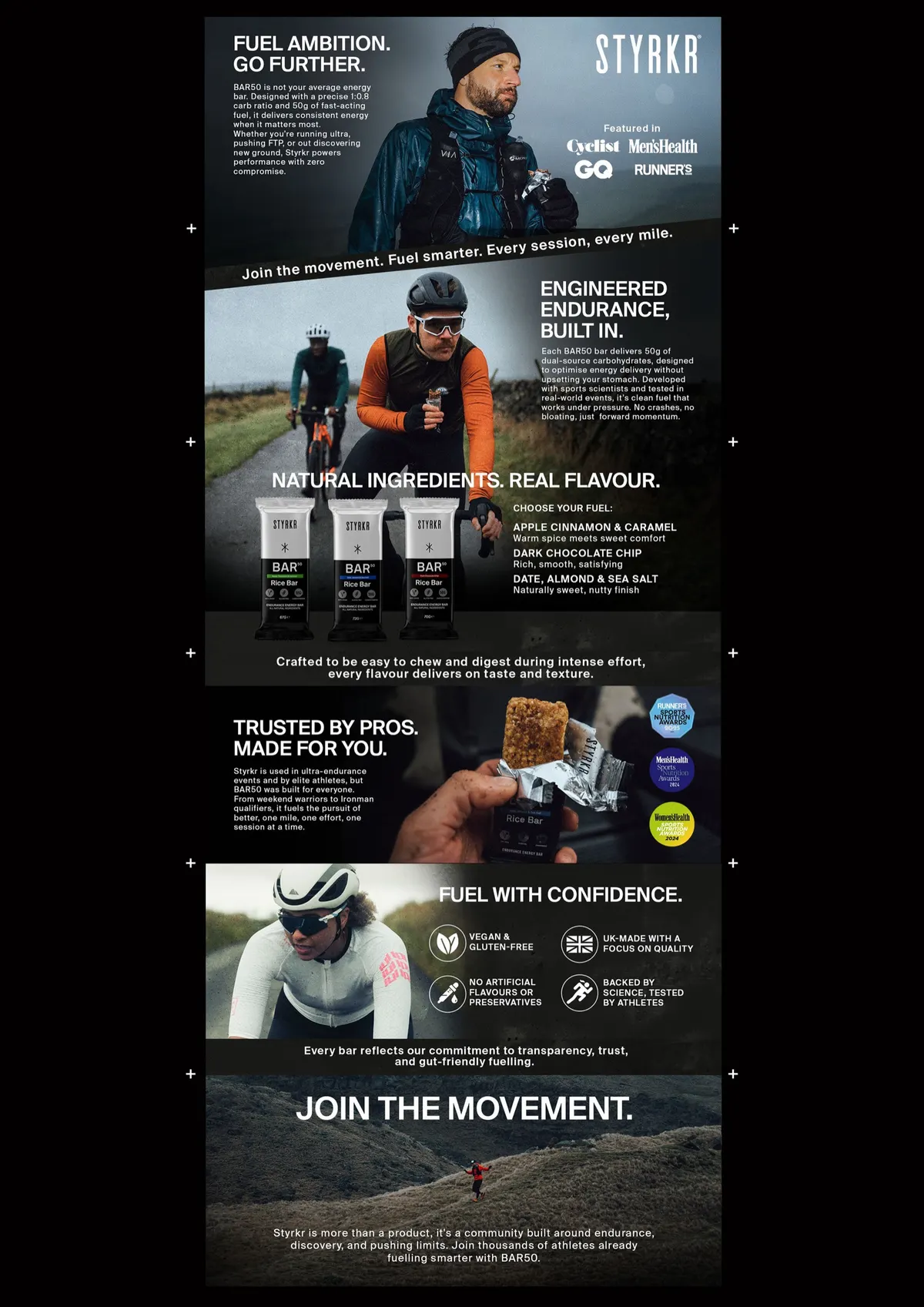
If you want to judge the work rather than the claims, see our A+ Content work in the portfolio.

Amazon A+ Content FAQ
What's the difference between Basic and Premium A+ Content?
Basic A+ is free to every Brand Registry seller and gives you up to five static modules at 970px wide. Premium A+ unlocks up to seven larger modules at 1464px with video, interactive hotspots and richer comparison charts. Amazon currently grants Premium to Brand Registered sellers with a Brand Story live across their catalogue and a recent history of approved A+ submissions. If you qualify, use it.
Does A+ Content improve Amazon search ranking?
Not directly — text inside A+ modules is not indexed the way titles and backend keywords are. What A+ does is lift conversion and reduce returns, and higher conversion feeds the sales velocity that Amazon's algorithm rewards. Any ranking benefit is real but indirect: A+ ranks you better by selling better.
How much does A+ Content cost, and how long does it take?
Publishing is free at both tiers — the investment is in strategy and design. A properly researched module stack, built from review mining rather than a template, typically takes two to four weeks to produce, and Amazon's approval usually adds a few business days on top. Budget for the design, not the platform.
Can I update A+ Content after it's published?
Yes. You can edit and resubmit A+ at any time, and Amazon normally re-approves within a few business days. That makes A+ a testable asset, not a one-off project — we routinely revise modules when new review themes appear or a comparison chart stops reflecting the competitive set.
Do I need A+ Content if my listing images are already strong?
Yes. The gallery wins the click and carries the headline benefits; A+ handles the deeper objections, the brand case and the side-by-side comparison that the gallery has no room for. It is also content Amazon's AI assistants read via OCR when answering buyer questions, so leaving it empty leaves answers on the table.
Want A+ Content that actually converts?
A+ Content only works when it's built around the buying decision. We are sellers who design — we craft A+ content, listing images and brand stories engineered for conversion, not just decoration. Get a free audit and we'll show you where yours could be working harder.